Heating capacity
A room’s physical volume is the starting point. Glass, exposed masonry and uninsulated construction can change the volume used for heater selection. Compare each model with its own sizing rule and rated range.
Free sauna heater calculator + 3D room planner
Check heater size, power and clearances. Bring your room and chosen heater into the 3D planner to design the whole sauna.
The interactive calculator needs JavaScript. Enter finished inside dimensions, glass, construction and power to compare electric heaters and wood stoves. The planning guide and manual links below remain available without it.
Browse heater specifications and manualsBeyond the kilowatts
Use the calculator to narrow the options. Use the room planner to work through the space that remains for people, benches and the build.
Enter the finished room, glass, wall construction and available power. Compare the actual model and output, with the reason each option fits or needs review.
Choose a heater, then open your rectangular room in 3D. Position the heater, arrange benches and doors, and review the space around them.
Continue with ventilation, wall assemblies and materials. Share the design and prepare plans and a material list for your builder.
A room’s physical volume is the starting point. Glass, exposed masonry and uninsulated construction can change the volume used for heater selection. Compare each model with its own sizing rule and rated range.
Leave room for the heater body plus every required clearance. Check walls, bench edges, guards, the ceiling and the door swing. A model that heats the room can still leave too little usable space.
Room-height limits and clearance above the heater are separate checks. For wall-mounted heaters, mounting height changes the space remaining overhead. Review seat height, steps and the heater together in the designer.
Select only a shield approved for that model and installation. Its manual determines which clearances change. A safety rail, decorative panel, tile surface or bench flange is not automatically a heat shield.
Confirm the selected output, voltage, phase, circuit and any neutral requirement. Allow space for the correct controls and sensors, wiring, service access and the installer’s connection route.
Plan air supply, exhaust and drying with the exact heater manual. Wood stoves also need a coordinated hearth, chimney, penetration and combustion-air plan. Those assemblies are not approved by a room-volume result.
Your next step
Use the design button on a heater result to carry supported room settings and the selected size into the planner. Place your doors and benches, review the layout, then choose materials and prepare the build documents.
Choose a heater above ↑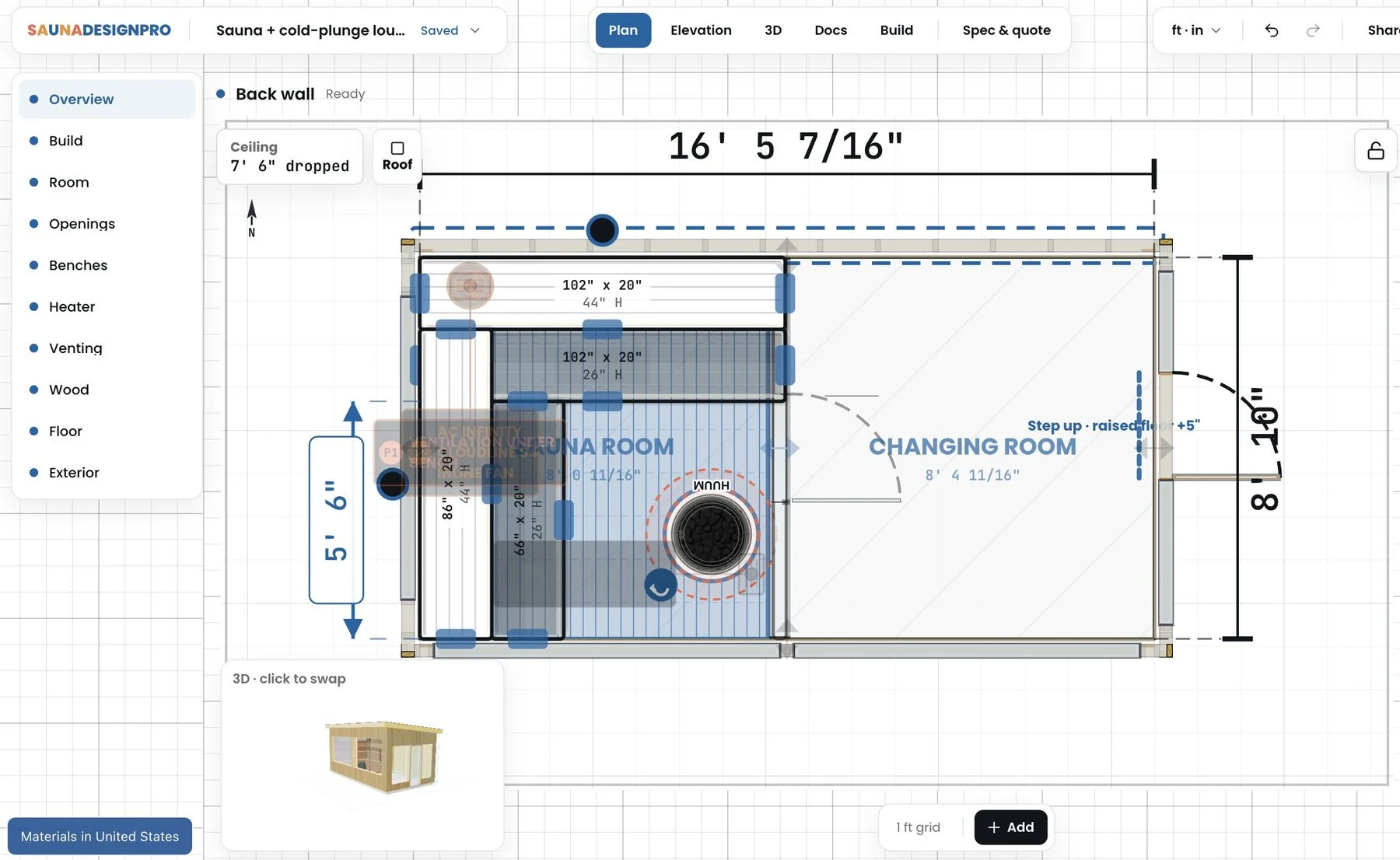
Planning questions
Start with the finished inside width, depth and height, then include glass, exposed masonry and wall construction. This calculator compares the adjusted room volume with each heater’s rated range and checks the electrical and installation information you enter. It explains the model-specific calculation instead of assigning every sauna one universal kilowatt rule.
Not necessarily. The heater body, wall and bench clearances, overhead space, guards, door movement and service access all affect the layout. Choose a heater here and open the rectangular room in SaunaDesignPro to position the equipment and plan the benches around it.
The handoff carries supported rectangular room dimensions, the selected heater and output, glass and masonry area allowances, wall-construction setting and electrical context. Supported shield selections also carry across. Glass-area totals do not create doors or windows: place those openings, the benches and the heater in the designer, then review the completed layout.
Yes. Choose wood-burning and compare the stove’s rated room range and available installation checks. Review the exact shield and floor-protection options where documented. Chimney routing, combustible penetrations, hearth construction and combustion air still need a complete installation plan.
A documented shield can change specific clearances for a compatible model. It does not change that heater’s rated room-volume range, electrical requirements or all other installation distances. The calculator applies only the documented reductions and keeps unresolved conditions visible.
Yes, the calculator can compare heaters for a barrel using its inside diameter and heated length. Barrel geometry does not transfer into the rectangular custom-room designer. Explore the Thermory barrel models separately for their own geometry, benches and heater options.
Yes. Heater results include a Sauna Marketplace product link so you can review the exact model, output, controls and accessories before buying. You can also continue designing the sauna first and return to the heater when the layout is ready.
No. A match describes the checks supported by the information entered. Missing measurements, manual conflicts and site-specific requirements remain visible for review. Use the exact model and market manual with your installer; confirm electrical work and the completed installation before building.